


Open today’s path.
A calm overview of your streak, the dog you are training with, and one strong next session. No decisions from scratch.

AndroidPositive-reinforcement training
Train your dog with a daily plan, a built-in clicker, guided dog commands, and a simple journal that keeps every practice session moving forward.
Daily Path
GoodBoy makes it easier to turn good intentions into regular dog training. Open the app for a focused next session, guided practice, and a place to keep the details that matter.
A calm overview of your streak, the dog you are training with, and one strong next session. No decisions from scratch.
Start with a focused dog training exercise instead of deciding from scratch. Most sessions take about five minutes.

Illustrated steps show what the cue looks like. Mark good behavior right away with the built-in dog training clicker.

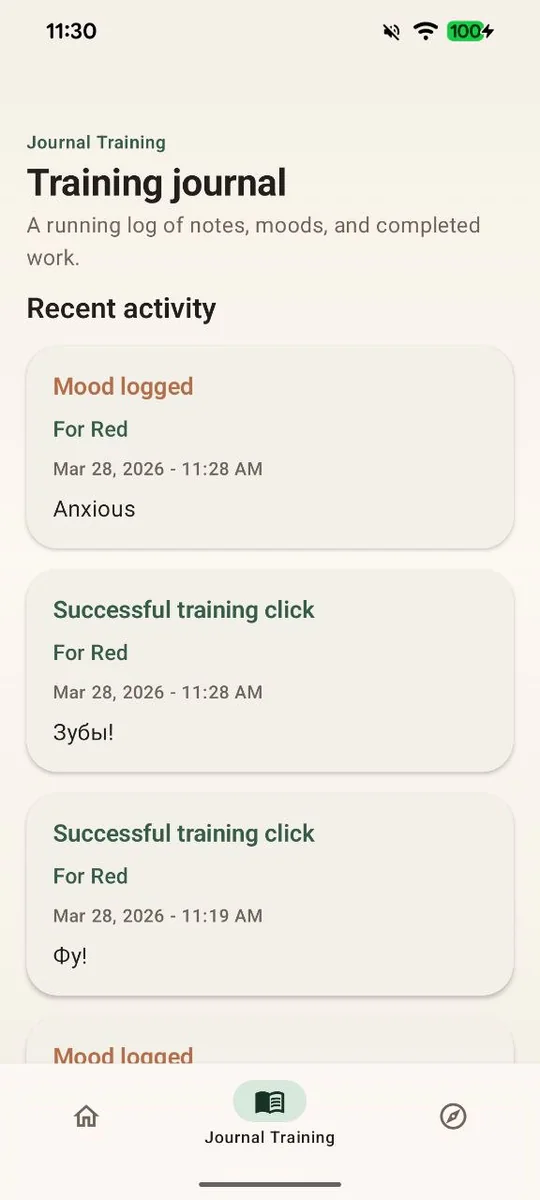
Save notes, clicks, and moods while the session is still fresh. Patterns show up after a week, not after a month.
The training flow
Each tool has one job: help you find the next skill, teach the cue with clear steps, or make positive-reinforcement practice easier to repeat.
Browse guided exercises by level when you want structure for a new puppy, an adopted dog, or the next challenge.

One sharp, consistent sound tells your dog exactly which moment earned the treat. Every click can land in the journal.
Switch between dogs and keep each one’s progress separate.
A nudge at the time that suits your day keeps the streak alive without nagging.
Short ideas like ending the day with a calm cue your dog already knows well.
Try it here
Marker training is about timing: the click should land the instant the behavior happens, then the treat follows. Practice your reaction on this mini clicker before your next session.
Sound on? The app uses the same short, sharp click.
Guides
Free, practical guides written around short reward-based sessions. Pick a topic and turn it into today’s practice.
FAQ
Yes. GoodBoy combines recommended practice, guided dog commands, and simple daily planning to make starting less overwhelming.
GoodBoy includes daily training plans, guided skills, a digital clicker, reminders, dog profiles, and a training journal.
Yes. Use the journal to capture training notes, mood entries, completed work, and clicks over time.
Yes. Add a profile for each dog and switch between them on the Daily Path, so plans and journal entries stay separate.
Short is better. Most recommended sessions take about five minutes, and two or three short sessions a day beat one long one.
GoodBoy is free to download from Google Play, and every training guide on this site is free to read.
 GoodBoy
GoodBoy brings daily dog training plans, a built-in clicker, guided dog commands, reminders, dog profiles, and a clean training journal into one Android app.
Made by Anton Kondratiuk